
Key takeaways
- Office TPM applies TPM's loss-elimination approach to administrative and support work such as purchasing, planning and order handling.
- Typical office losses: waiting, searching, re-keying and rework, extra approval steps, communication delay and office equipment breakdown.
- Results are tracked in the same six groups as the shop floor: productivity, quality, cost, delivery, safety and morale (PQCDSM).
- Start with one process that supports production, such as spare-parts requisition, and measure before changing.
- In MaintWiz, office losses are raised as red or white tags with an owner and a date, counted on the Office TPM dashboard and reviewed through eOffice action items.
Meaning
What does office TPM mean?
The shop floor loses time to waiting, searching, rework and stops. So do offices: an order waits for approval, a part number is retyped three times, a report is built that nobody reads. Office TPM looks for these losses in the information flow that supports production and removes them with the same loss-hunting habits: define the loss, measure it, find the cause, fix it, standardise. It is one of the eight pillars.
What losses does office TPM look for?
| Loss type | Example | A first countermeasure |
|---|---|---|
| Waiting | Purchase requests wait for approval | Approval limits; one approver; visible queue |
| Searching | Looking for drawings, files or stock locations | Single filing and naming rule; stores location master |
| Rework from errors | Wrong part number in an order | Master data checks; mistake-proofing at entry |
| Duplicate entry | Same data keyed in two systems | Integrate or remove one entry |
| Unnecessary reports and meetings | Reports nobody uses | Review the report list; end or merge |
| Handoff delays | Information passed between teams late | Agree handoff times and owners |
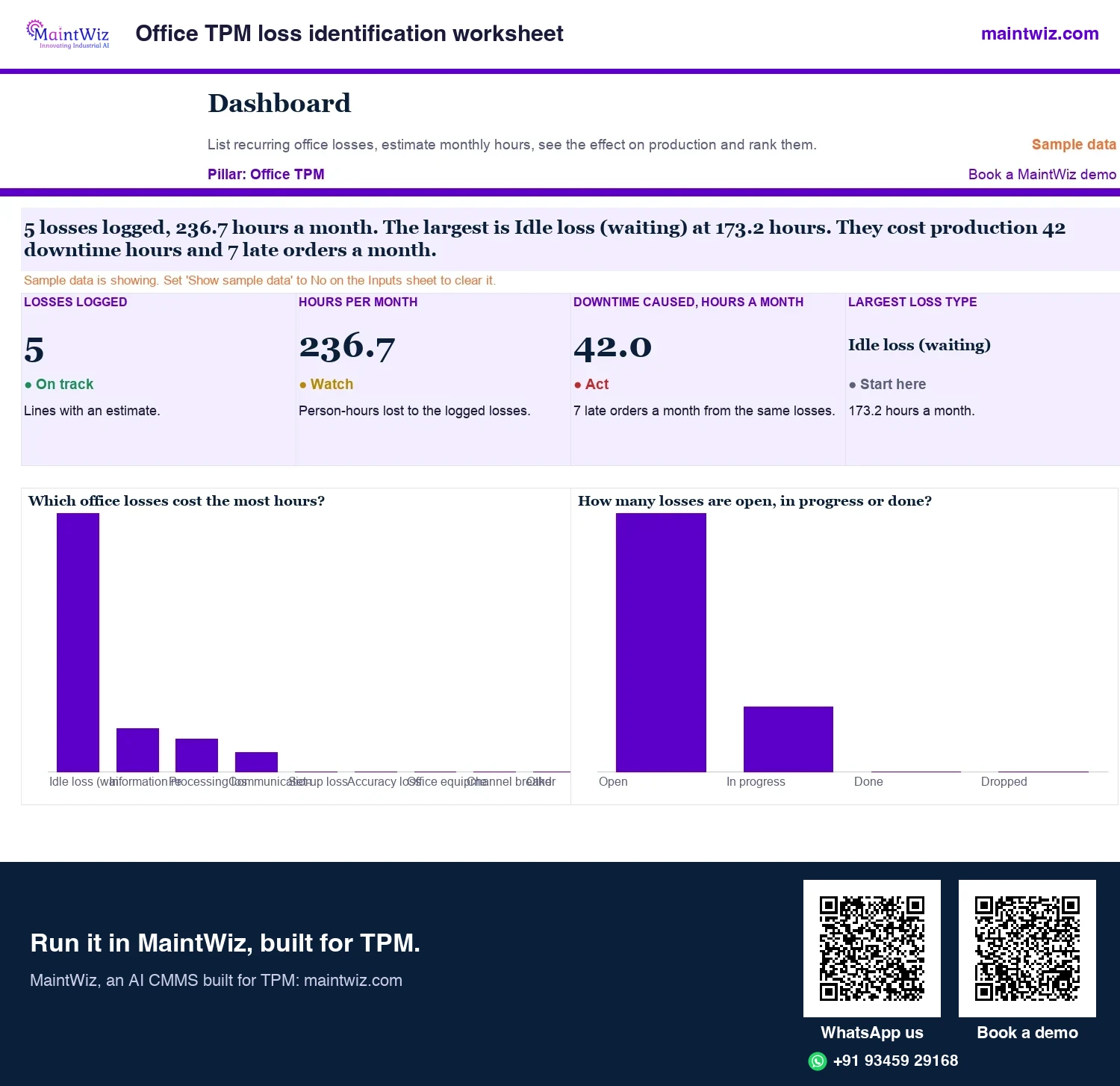
The free office TPM loss identification worksheet logs each loss with its frequency and hours and ranks the largest first.
Six kinds of office loss and how to measure each
Every loss has a measure that can be timed or counted
- 1
Waiting for approval
Measure: hours waiting per request
- 2
Searching for documents or data
Measure: minutes searched per week
- 3
Re-keying and rework
Measure: errors per 100 entries
- 4
Over-processing
Extra signatures; measure: approval steps per request
- 5
Communication delay
Measure: hours from request to reply
- 6
Office equipment or IT breakdown
Measure: hours lost per month
 maintwiz.comAI CMMS built for TPM
 WhatsApp us
 +91 93459 29168
 Book a demo
Free files
Office TPM templates: loss worksheet, process time map and pillar audit
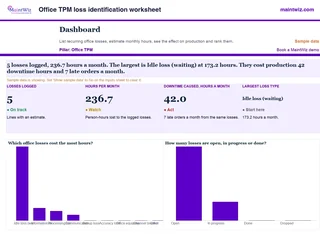 ExcelOffice TPM loss identification worksheet
List recurring office and support losses by loss family, see the downtime and late orders they cause
- Sheets
- Dashboard, Inputs, Losses, Read me
- A4
- Version
- v1.1, 4 November 2026
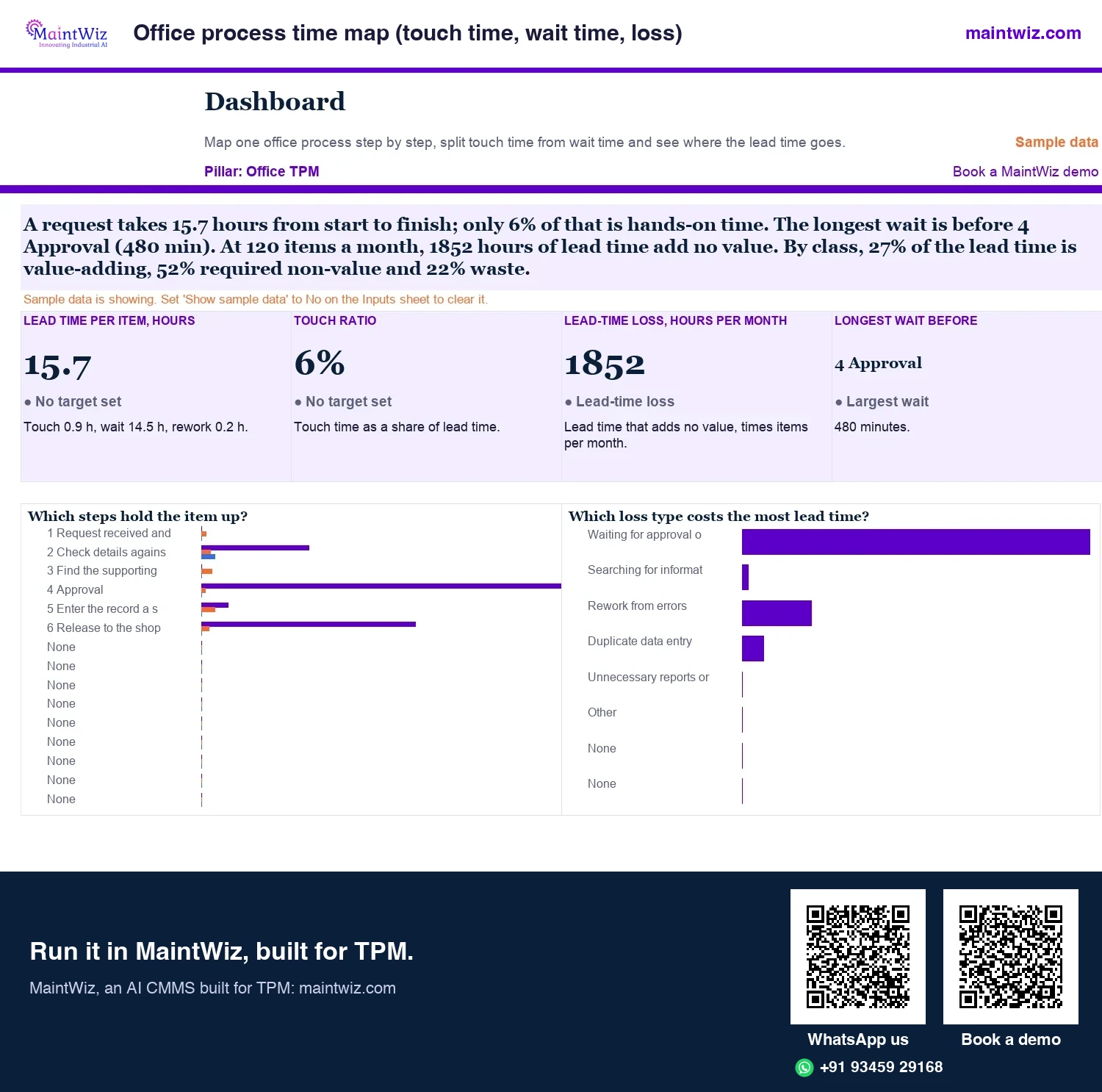
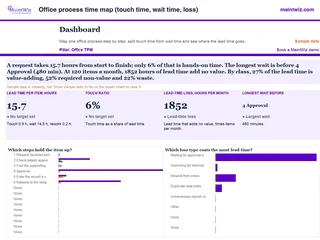 ExcelOffice process time map (touch time, wait time, loss)
Map one office process step by step, split value-adding, required non-value and waste time
- Sheets
- Dashboard, Inputs, Steps, Map, Measures, Read me
- A4
- Version
- v1.1, 4 November 2026
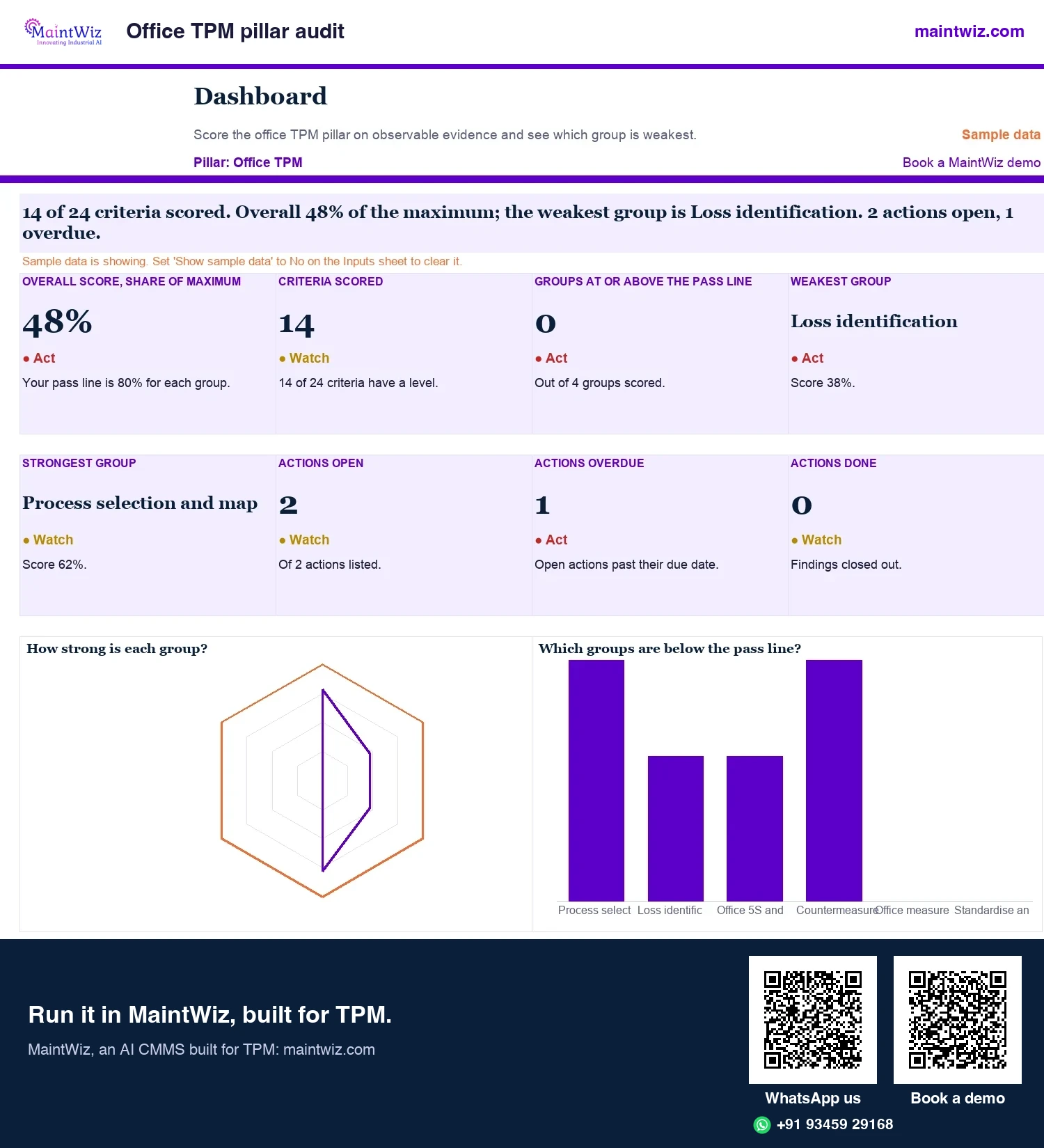
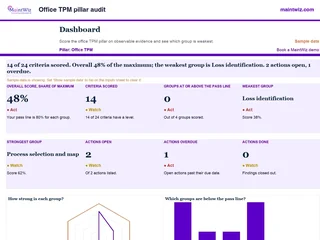 ExcelOffice TPM pillar audit
Score the office TPM pillar on 24 observable criteria in six groups and get the weakest group and an action list
- Sheets
- Dashboard, Inputs, Audit, Actions, Read me
- A4
- Version
- v1.1, 4 November 2026
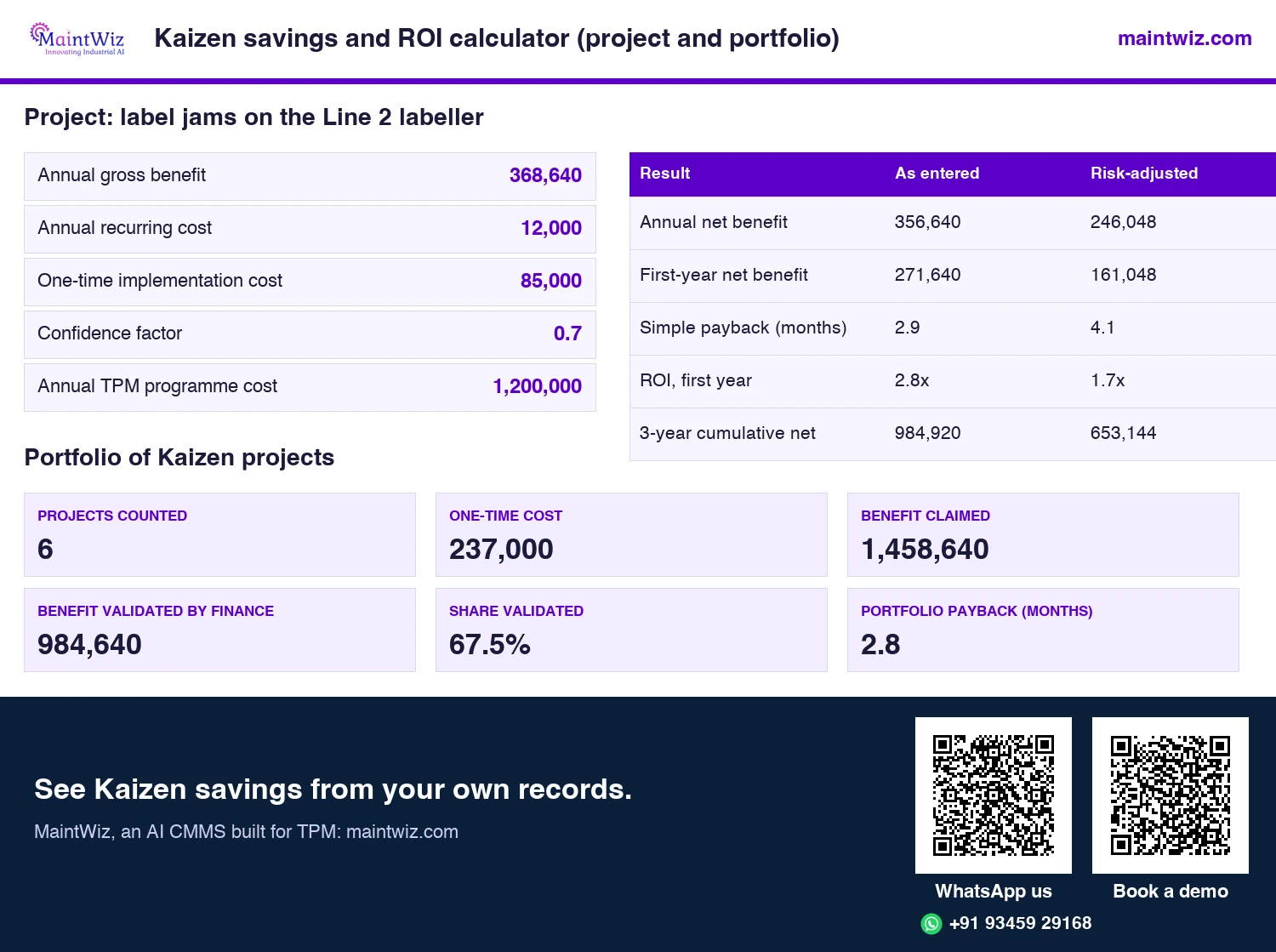
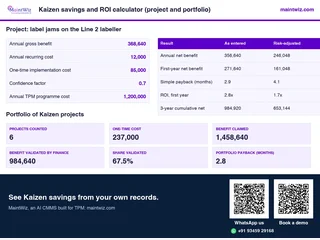 ExcelKaizen savings and ROI calculator (project and portfolio)
Test one Kaizen project for payback and ROI, then list up to 25 projects by loss to see which ones pay for the TPM
- Sheets
- Dashboard, Project, Sensitivity, Portfolio, Read me
- A4
- Version
- v1.1, 5 November 2026
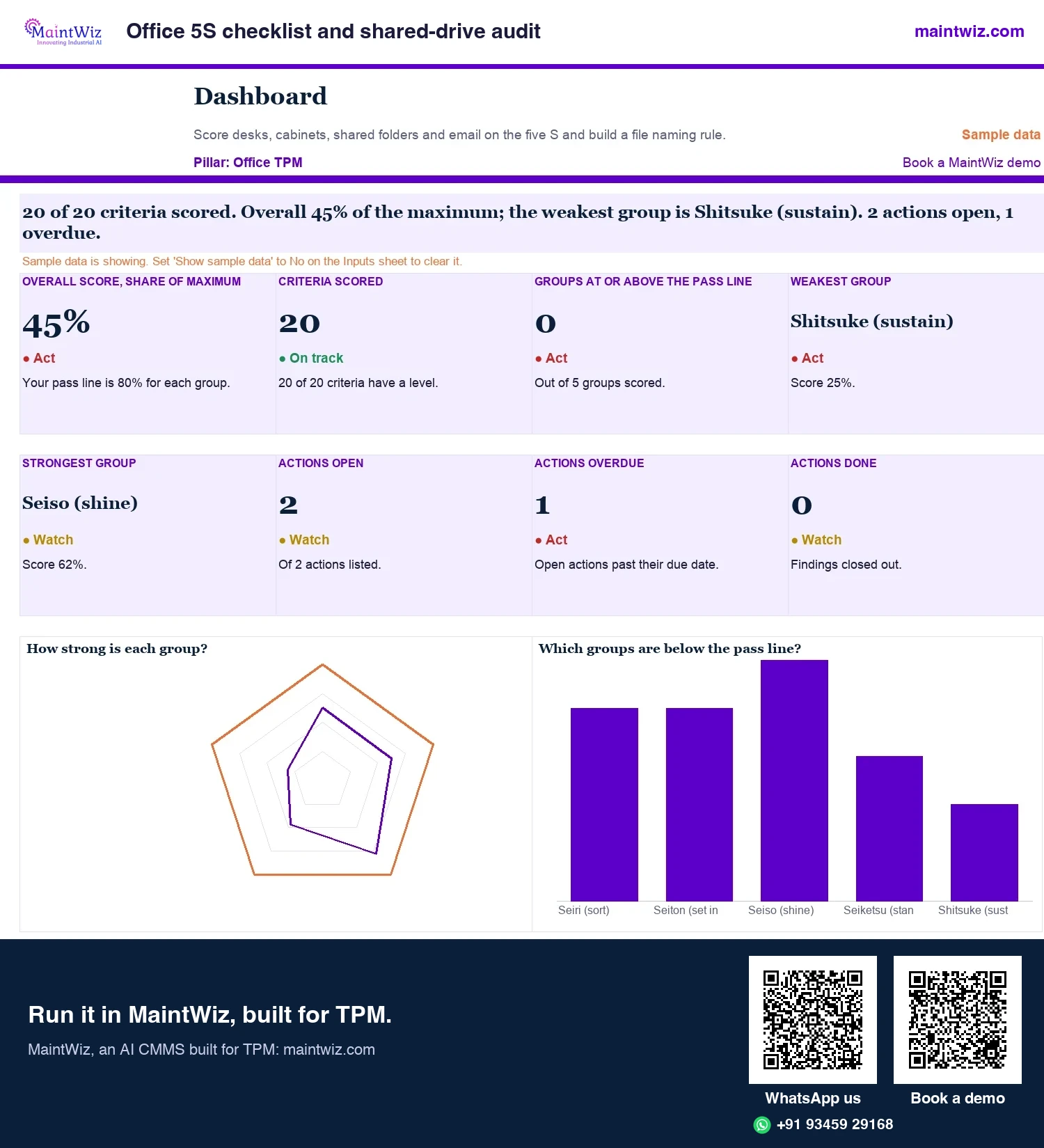
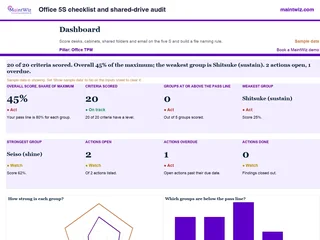 ExcelOffice 5S checklist and shared-drive audit
Score desks, cabinets, shared-drive folders and email on the five S with 20 checks for Office TPM, then agree one file naming rule.
Inside: 20 criteria across the five S, scored 0 to 4 with evidence reference · Desks, cabinets, shared folders and email · Actions with owner, due date and status · Naming rule builder: department, document type and subject with a test of real file names
- Sheets
- Dashboard, Inputs, Audit, Actions, Naming rule, Read me
- A4
- Version
- v1.0, 4 November 2026
PQCDSM measures
Which PQCDSM measures apply to an office?
Office results are tracked in the same six groups as shop-floor results: productivity, quality, cost, delivery, safety and morale (PQCDSM). Each group gets one office measure: order-processing time for productivity, errors per hundred transactions for quality, cost per transaction, approval cycle time for delivery, ergonomic issues for safety and idea participation for morale (Figure 2).
| Group | Example office measure |
|---|---|
| Productivity | Order-processing time; requests handled per person per week |
| Quality | Error rate in orders or master data; rework per hundred transactions |
| Cost | Cost per transaction; expedite cost |
| Delivery | On-time delivery of information; approval cycle time |
| Safety | Ergonomic issues; stress and overtime incidents |
| Morale | Idea participation; response to suggestions |
Choose few measures, define each, and measure before changing anything so the result can be shown.
The six aims of office TPM
Office TPM
- P
Productivity
cut waiting, searching and rework
- Q
Quality
standardise procedures so work is right first time
- C
Cost
remove steps that add cost but no value
- D
Delivery
meet the time the next process needs
- S
Safety
safe workplaces, including ergonomics and housekeeping
- M
Morale
involve staff in finding and fixing losses
maintwiz.comAI CMMS built for TPMWhatsApp us+91 93459 29168Book a demoSteps
What are the steps of office TPM?
- Pick one process that supports maintenance or production (for example spare-parts requisition).
- Map the steps and time each; mark waits and rework.
- Log the losses with frequency and minutes.
- Fix the largest loss with the owner of the process; test; measure again.
- Standardise the new way and share it with similar processes.
Office TPM in three moves
One process at a time, the same loss-hunting habits
Find the loss
- Pick one process that supports production
- Map each step and time it
- Mark waits, searches and rework
Tag and log it
- Raise a red or white tag for each loss
- Keep it in the register with documents
- The office dashboard counts tags by status
Fix and track
- Fix the largest loss with the process owner
- Standardise the new way of working
- Track PQCDSM measures over time
maintwiz.comAI CMMS built for TPMWhatsApp us+91 93459 29168Book a demoThe office pillar leader owns the loss list and each process owner closes the tags raised on their process, the structure set out in TPM roles and responsibilities; in MaintWiz each office tag shows its status by office location (Figure 4).
Worked example: spare-parts requisition
Suppose a maintenance planner finds that requests for spare parts take days to reach the stores and that maintenance often waits. The team maps the steps: the request is raised on paper, signed by a supervisor, keyed into the system by a clerk and approved by a manager. They log the losses: waiting for each signature, retyping, and errors in part numbers that cause rework. Countermeasures: raise requests directly in the system, set approval limits so low-value requests need only one approval, and validate part numbers at entry. They then measure request-to-issue time on the same definition before and after the change and report the difference in hours. In the example the four steps take 25 minutes of work, while the request waits 2.5 days: 1 day for the supervisor's signature, 1 day in the clerk's queue and half a day for the manager's approval (Figure 5).
Office TPM: losses in one requisition (ILLUSTRATION)
Time each step and each wait, then fix the largest
Request raised on paper
Work: 5 min
Supervisor signs
Work: 2 min
Wait before: 1 day for the signature
Clerk keys it in
Work: 15 min
Wait before: 1 day in the queue; retyping and part-number errors
Manager approves
Work: 3 min
Wait before: 0.5 day for the approval
- Total: 25 min of work against 2.5 days of waiting, so waiting is the largest loss
- Fix it with its owner: approval limits, one approver, master-data checks at entry
- Track it in PQCDSM: order-processing time, error rate in orders
maintwiz.comAI CMMS built for TPMWhatsApp us+91 93459 29168Book a demoOffice TPM software
What should software for office TPM do?
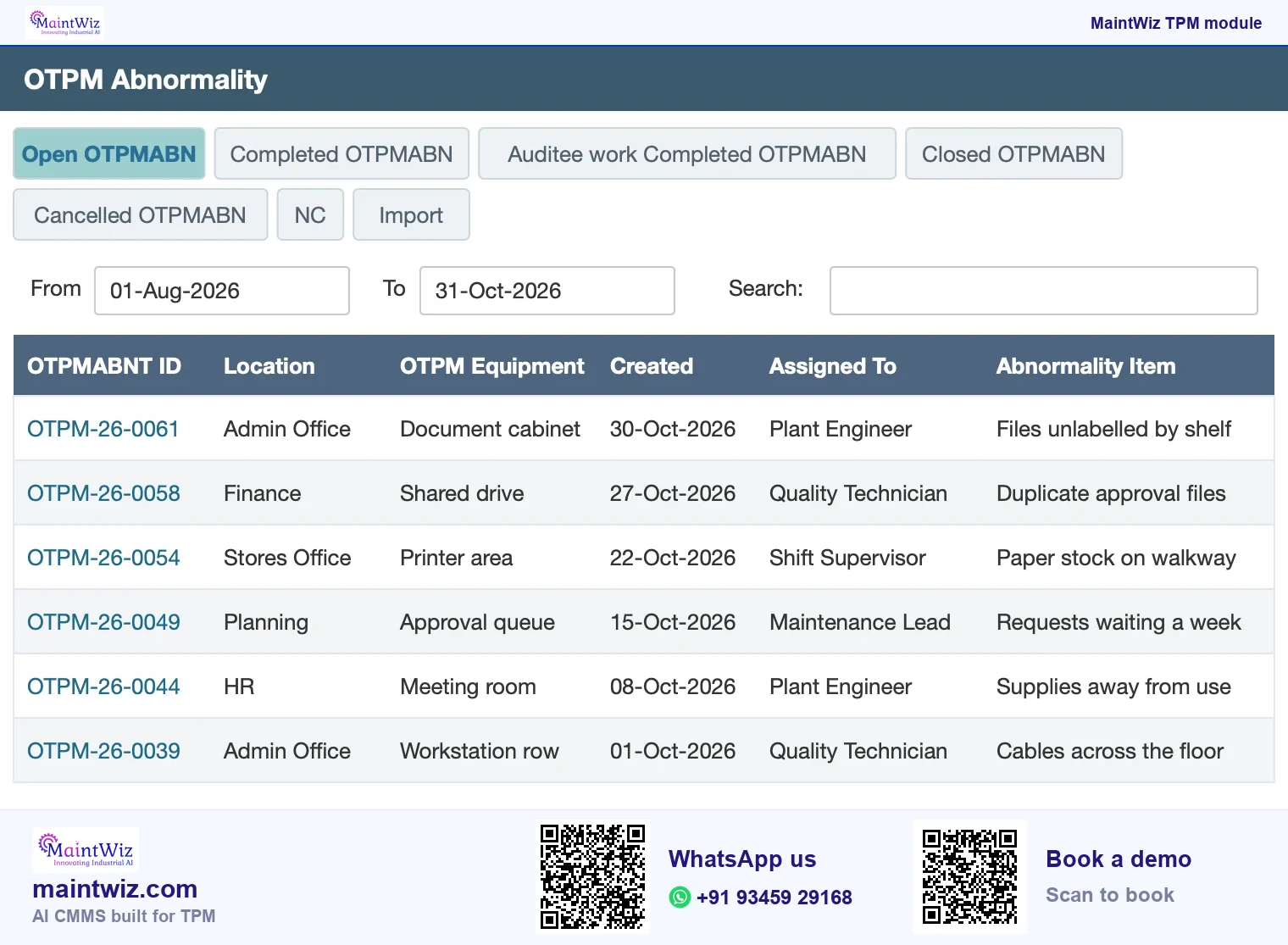
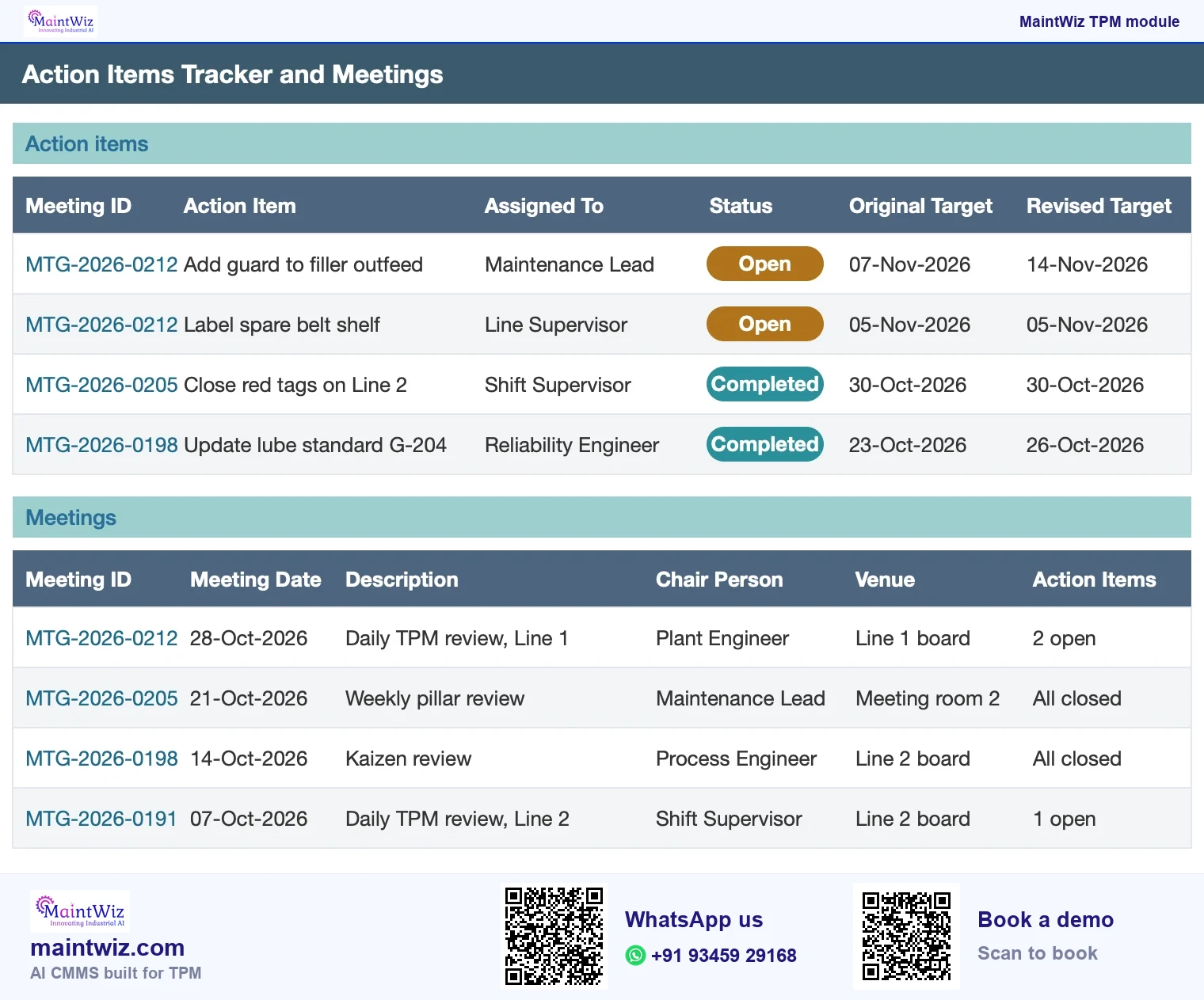
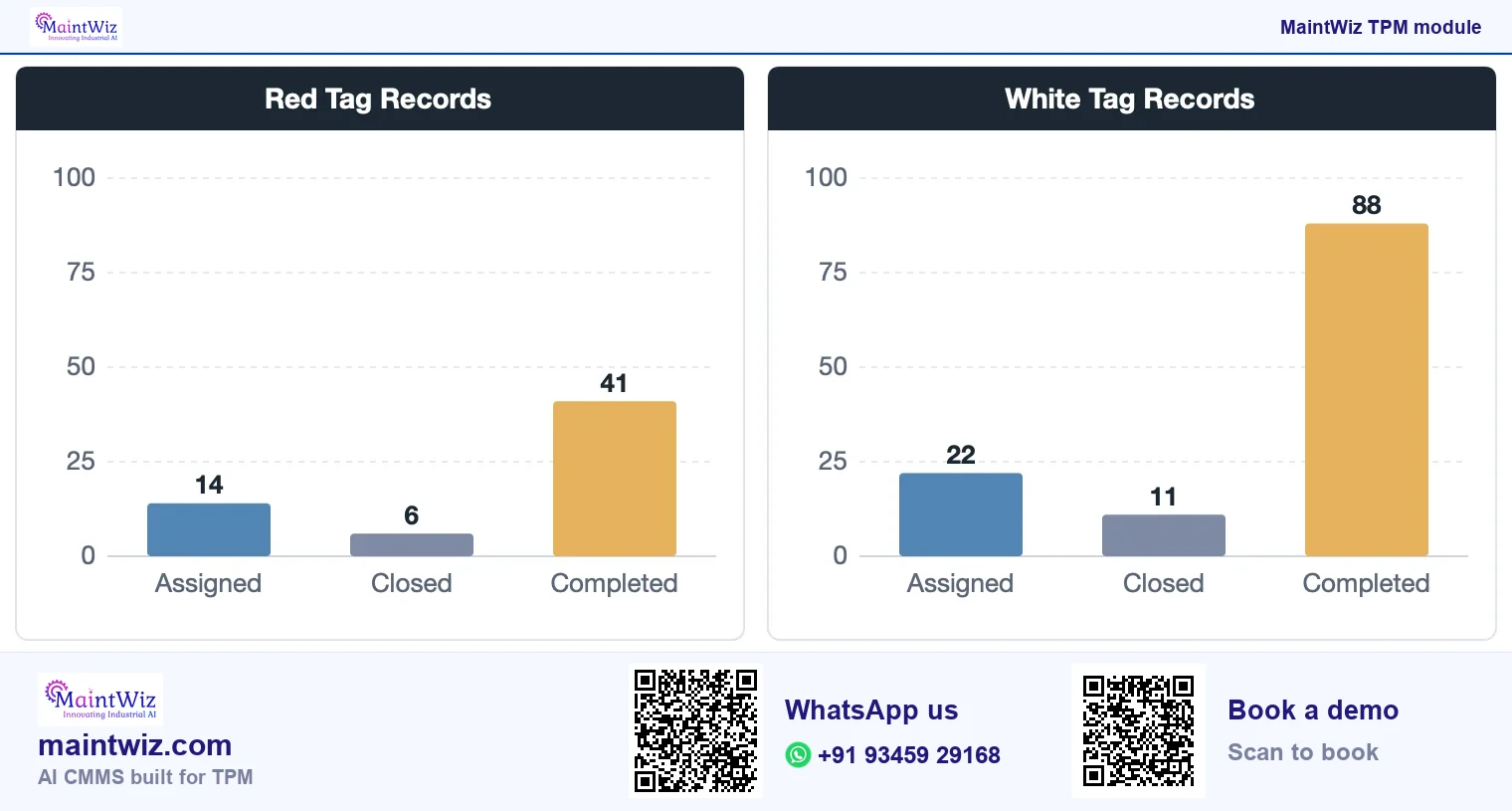
Office TPM needs the same discipline as the shop floor: a loss is seen, recorded against the area that owns it, given an owner and a date, and followed to closure. MaintWiz, an AI CMMS built for TPM, covers it with the abnormality register, the Office TPM dashboard of red and white tag records, and eOffice action items and meetings, in the same system as the shop-floor pillars (Figure 6).
- Office losses raised as tags in the abnormality register, each with an owner and a date.
- Open, completed and closed items on the Office TPM abnormality list, so a stalled request is visible.
- Meeting actions in eOffice with the original and the revised target date side by side.
- A dashboard of red and white tag records by status for the office areas.
Office tags use the same abnormality management software as the plant: each tag carries its cause, countermeasure, owner, target date and documents. Book a demo with one office process, such as spare-parts requisition, and see its losses raised, owned and closed in the register.
Mistakes
What are common office TPM mistakes?
- Starting with the whole office instead of one process that supports production.
- Counting activities (meetings held) instead of losses removed.
- Choosing too many measures.
- Skipping the baseline, so no result can be shown.
- Keeping losses on paper or in e-mail, where nobody sees how long a loss has been open.
- Reporting a result on a different definition from the baseline.
- Letting a loss sit in the register without an owner and a date.
Which processes
Which office processes suit office TPM?
| Process | Losses to look for |
|---|---|
| Purchase requisition to order | Approval waiting, rework from incomplete requests, repeated queries |
| Invoice processing | Mismatches, manual re-keying, exceptions handling |
| Document control | Searching for the latest version, duplicate files, unreviewed documents |
| Recruitment and onboarding | Delays between steps, repeated data entry |
| Maintenance planning and stores | Missing parts information, repeated requests, unclear priorities |
| Customer order handling | Errors, rework, waiting for confirmations |
Which tools does office TPM use?
- 5S for physical and digital files.
- Process mapping to show steps, waits and hand-offs.
- Loss lists measured in hours per week.
- Why-why analysis for recurring errors.
- Standard work and one point lessons for the revised process.
- A tag or abnormality register for recurring problems.
In MaintWiz, office areas use the same abnormality register as the plant, with their own Office TPM dashboard of tag records and eOffice action items and meetings.
How do you measure office losses?
Time is the basic unit: hours spent searching, waiting, correcting and re-entering, collected for a short period and ranked. Convert hours to money at the cost rate finance uses. Track the process cycle time end to end and the share of items right first time. The same worksheet ranks losses by hours. Work on the largest loss first, and keep the same definition before and after so the change in hours is the result you report.
How does office TPM link to maintenance planning and stores?
The most direct links to equipment loss are planning and stores: late work-order approval, missing spares and poor data on equipment history all show up as downtime on the floor. In MaintWiz, OTPM (office TPM) has an abnormality register and a dashboard of red and white tag records, and eOffice holds action items and meetings (Figure 7).
FAQ
Frequently asked questions
What is office TPM?
Office TPM applies TPM's loss-elimination approach to administrative and support work such as planning, purchasing and order handling. It looks for waiting, searching, rework and duplicate entry and removes them with the same loss-hunting habits used on the shop floor.
What does TPM in administration cover?
Support processes that feed production and maintenance: approvals, purchasing, planning, master data and reporting. Typical losses are waiting for approval, searching for information, errors that cause rework and duplicate data entry.
Is office TPM the same as the Trusted Platform Module?
No. The Trusted Platform Module is a computer security chip. Office TPM is Total Productive Maintenance applied to administrative work, removing waiting, searching and rework from processes such as purchasing and planning.
What is PQCDSM?
PQCDSM stands for productivity, quality, cost, delivery, safety and morale, the six groups of results TPM tracks. Offices choose a few measures in each group, such as order-processing time for productivity and error rate for quality.
How do you start office TPM?
Pick one process that feeds production or maintenance, such as spare parts requests or work order approvals, because delays there show as downtime. Map its steps and time each, log the waits and rework, fix the biggest loss with the process owner, measure again on the same definition and standardise the new way.
Is office TPM one of the eight pillars?
Yes. JIPM lists Office TPM among the pillars of TPM. It applies the same loss-removal method to administrative processes such as order handling and invoicing.
How do you measure office losses?
In hours per week lost to searching, waiting, correcting and re-entering, collected for a short period and ranked. Track end-to-end cycle time and the share of items right first time.
What is Kanri Kansetsu Bumon?
Kanri Kansetsu Bumon is the Japanese term for the administrative and support departments of a plant, and the name of the pillar that applies TPM to them, called office TPM in English. JIPM lists Office TPM among the pillars of TPM.
What should office TPM software do?
It should let office teams record a loss as a tag against the area that owns it, give it an owner and a date, and show open and closed tags on a dashboard. MaintWiz has an office abnormality entry and a dashboard of red and white tag records for office areas.
How does MaintWiz run office TPM?
MaintWiz, an AI CMMS built for TPM, raises each office loss as a red or white tag in the abnormality register with an owner, a target date and documents. The Office TPM dashboard shows the red and white tag records for each office area, so the pillar leader sees which losses are still open.