
Key takeaways
- The training and competency management module has a training plan, training sessions, a training schedule, a training master, reports and a dashboard.
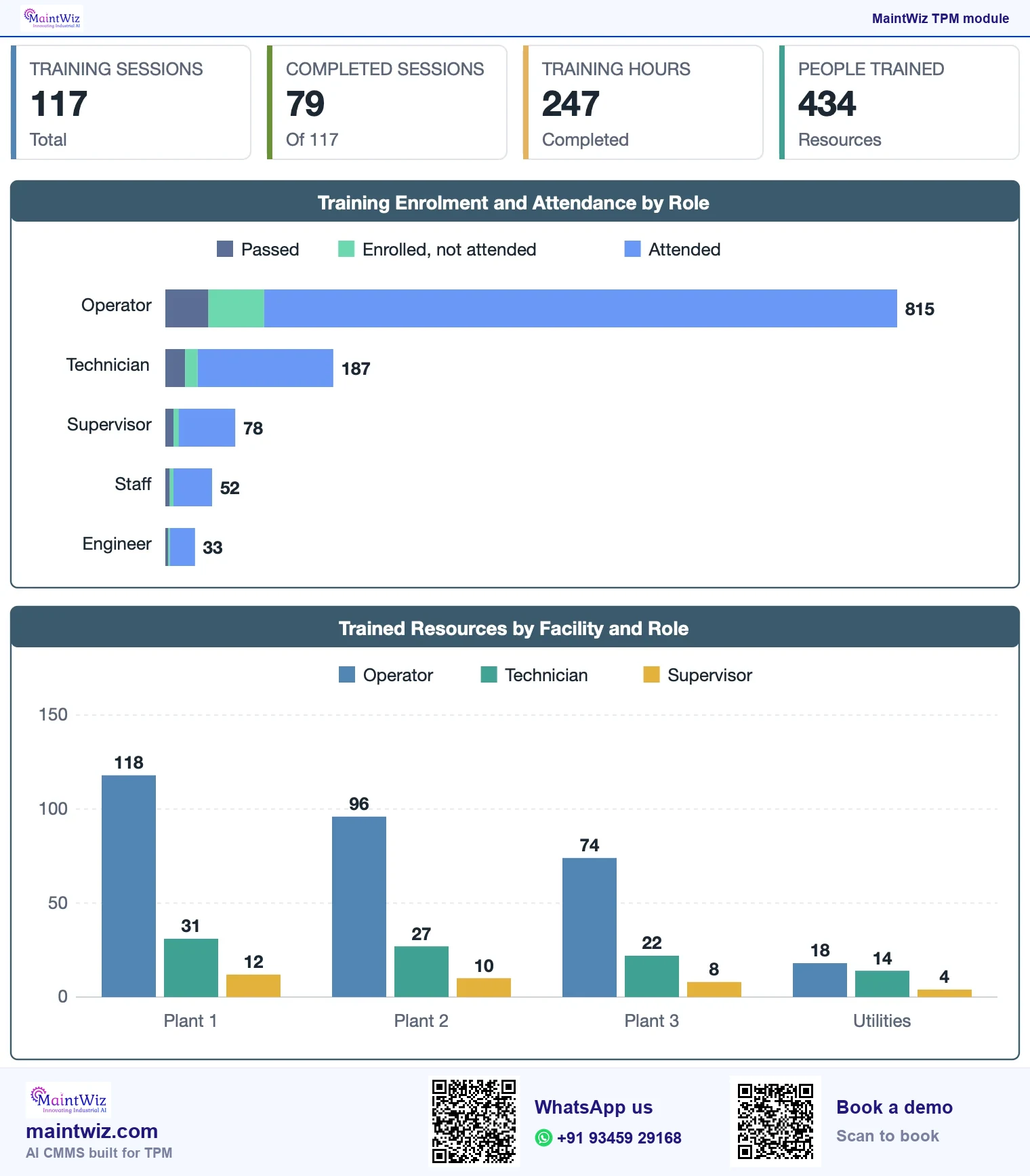
- The dashboard shows sessions, completed hours, resources trained and attendance by role.
- Certification and expiry, for example licences and vision tests, sit beside attendance and hours.
- MaintWiz is an AI CMMS built for TPM: all eight pillars, 5S, OEE, Kaizen and one point lessons, a clickable dashboard per pillar, mobile capture, tags that convert to work orders and ePTW for safety, rolled out in 6 to 8 weeks.
Training records
Why do TPM programmes depend on training records?
Every TPM pillar asks people to do something new: operators inspect, technicians coach, leaders review. Without training the routines drift. MaintWiz records who has been trained on what, so the gap behind a repeat failure is visible. Certification and expiry, for example licences and vision tests, sit beside attendance and hours, so a gap shows before an audit does (Figure 2).
From a training plan to a trained team
Plan, run, record, review
Training master
Plan by team or role
Schedule sessions
Record attendance and hours
Record certification and expiry
Review the dashboard
 maintwiz.comAI CMMS built for TPM
 WhatsApp us
 +91 93459 29168
 Book a demo
- Define the training master: topics and the people or roles they apply to.
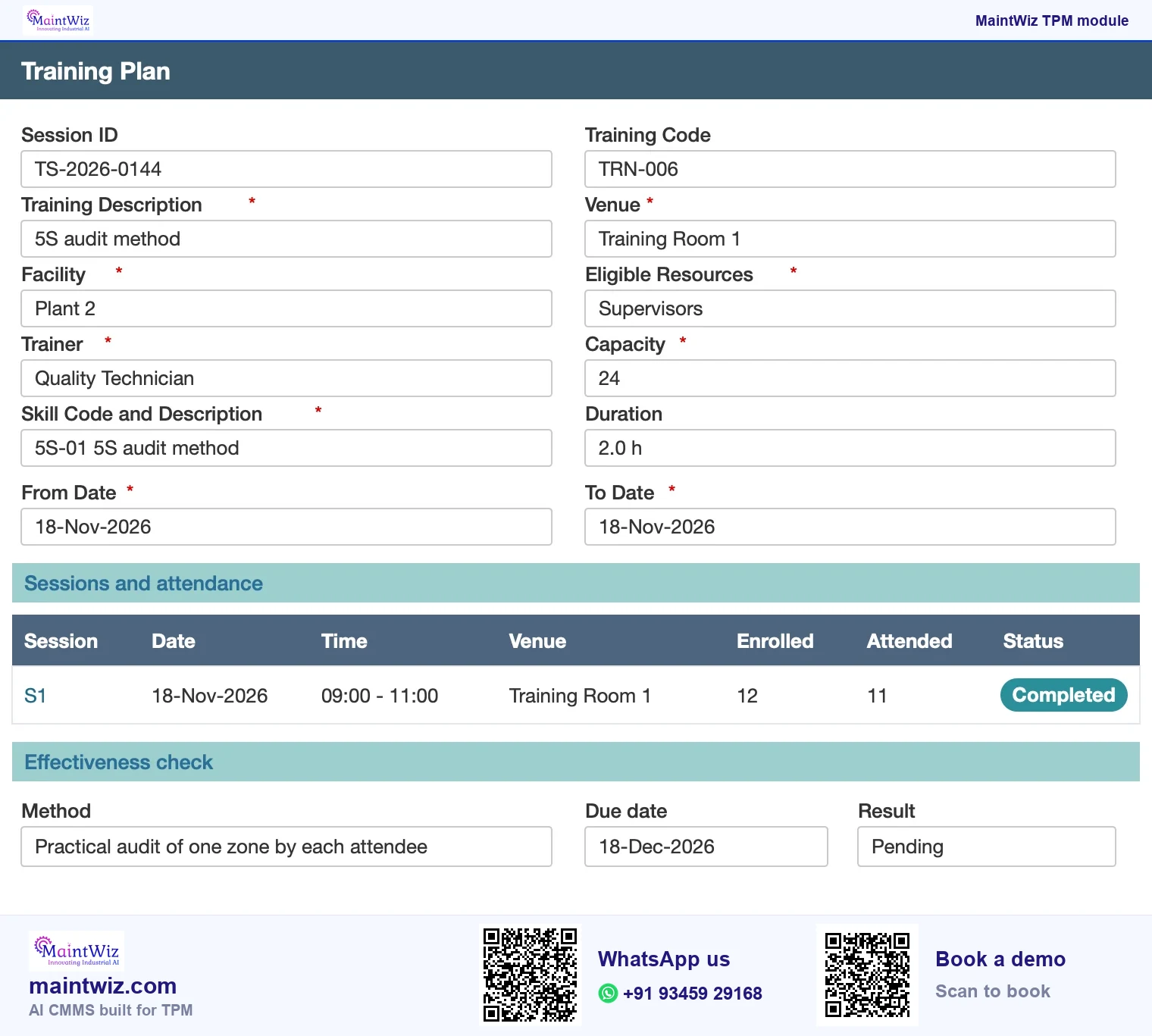
- Plan: create a training plan for the period, by team or role.
- Schedule: set sessions on the training schedule.
- Run and record: record attendance and hours for each session.
- Review: reports and the dashboard show sessions, hours and who has been trained.
Book a demo and see attendance, hours and certification expiry on your own training master.
JIPM, the Japan Institute of Plant Maintenance, lists education and training among the necessary pillars of TPM.
Downloads
Start on paper, run it in MaintWiz: skills matrix, training and licences
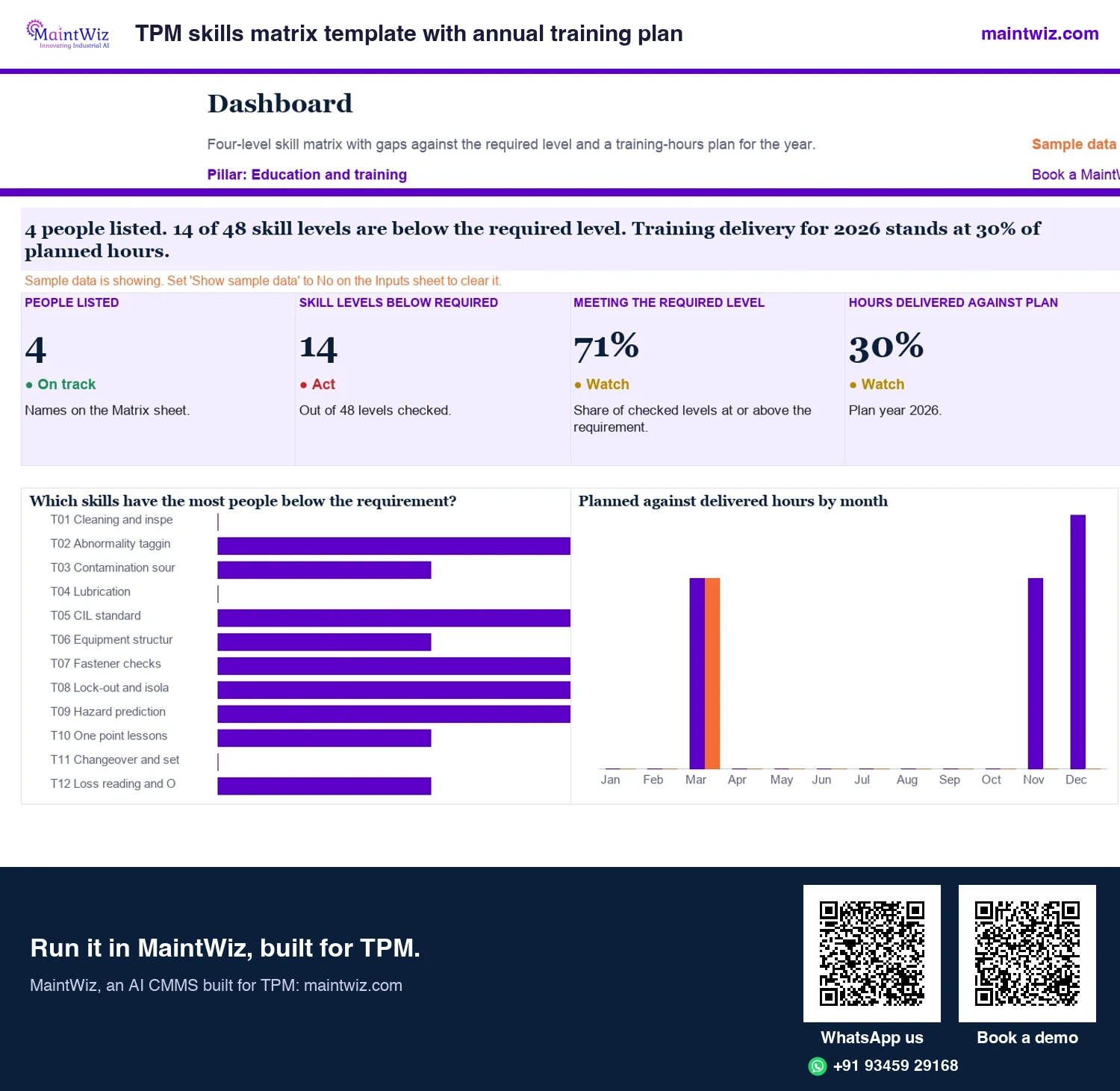
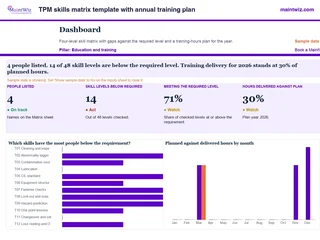 ExcelTPM skills matrix template with annual training plan
Four-level skill matrix with quarter-circle symbols
In MaintWiz: Training plan, sessions and records by person.
- Sheets
- Dashboard, Inputs, Matrix, Plan, Read me
- A4
- Version
- v1.0, 2 November 2026
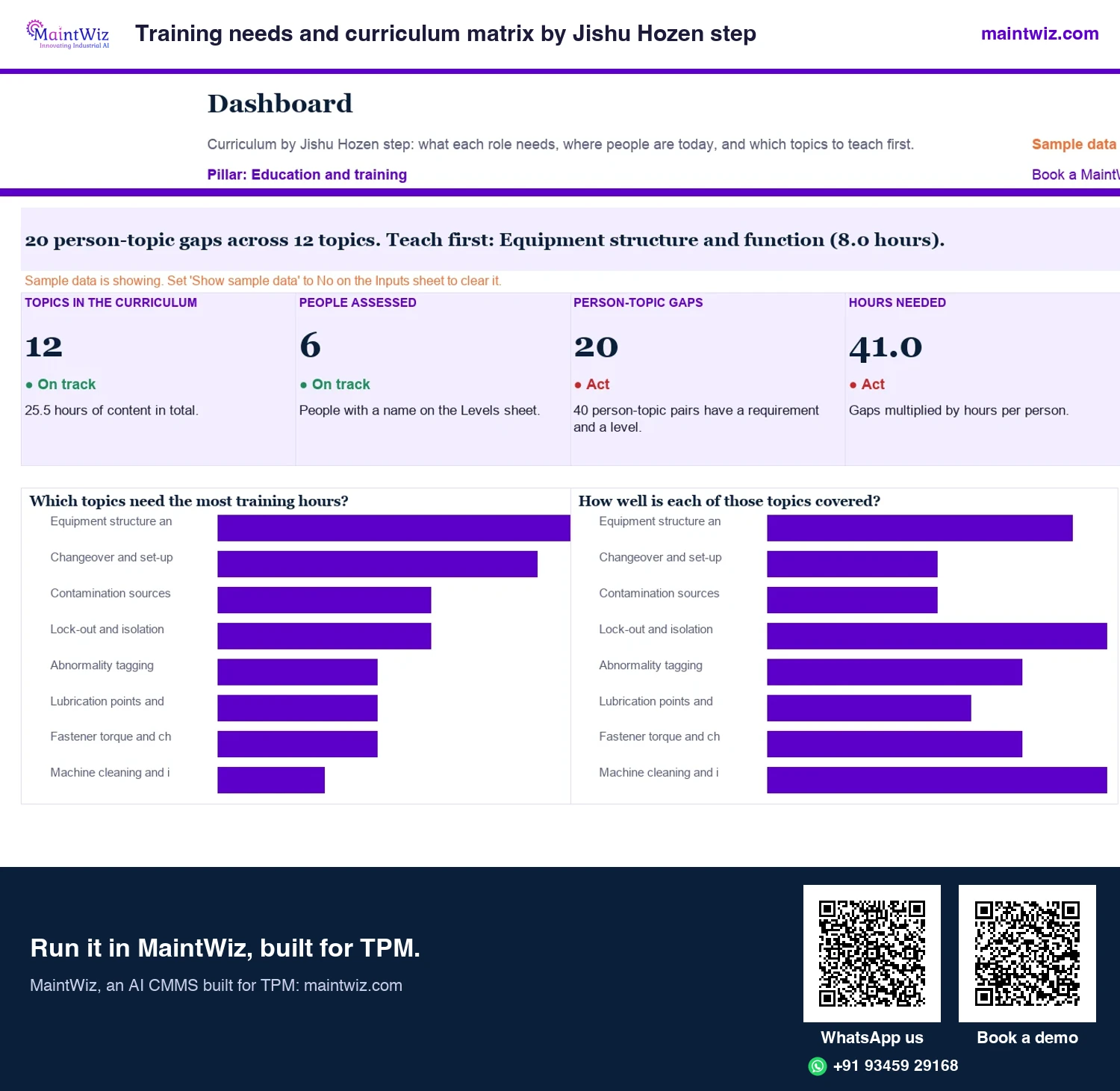
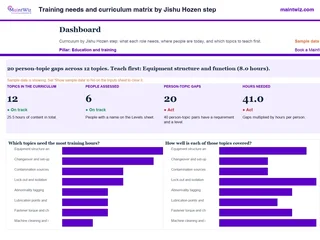 ExcelTraining needs and curriculum matrix by Jishu Hozen step
Set the level each role needs for every training topic by Jishu Hozen step, record where people are
In MaintWiz: Training plan, sessions, schedule and a dashboard of completed hours and attendance by role.
- Sheets
- Dashboard, Inputs, Curriculum, Needs, Levels, Gaps, Schedule, Feed matrix, Read me
- A4
- Version
- v1.0, 2 November 2026
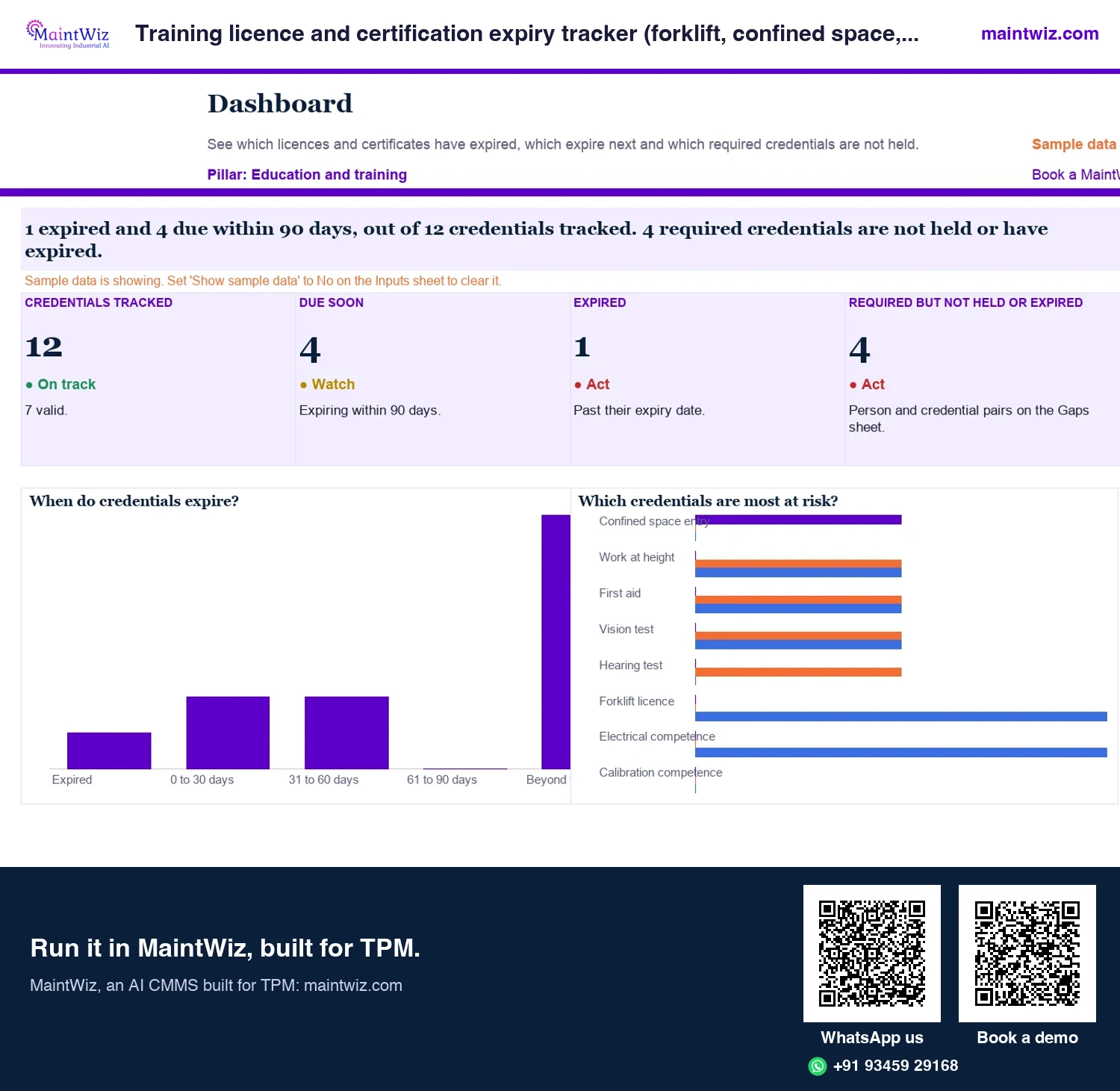
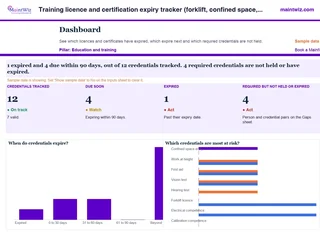 ExcelTraining licence and certification expiry tracker (forklift, confined space, work at height)
See which forklift, confined space and work at height licences have expired, which expire in 30, 60 or 90 days
In MaintWiz: The module can record certification and expiry handling, for example licences and vision tests.
- Sheets
- Dashboard, Inputs, People, Register, Requirements, Gaps, Read me
- A4
- Version
- v1.0, 2 November 2026
What it does
What does MaintWiz training and competency management do?
MaintWiz training and competency management gives a TPM plant five things in one module.
TPM skill levels 1 to 4
The yardstick a training plan and an effectiveness check are set against
Level 1
Knows the theory
Level 2
Does it with help
Level 3
Does it alone
Level 4
Can teach it, writes the one point lesson
Example: Jishu Hozen cleaning, inspection and lubrication (CIL) on Filler F-3
maintwiz.comAI CMMS built for TPMWhatsApp us+91 93459 29168Book a demo- A training master of topics and the roles they apply to, so a plan is built from it.
- Planning and scheduling by team or role, with attendance and hours recorded for each session.
- Certification and expiry for licences and vision tests, beside sessions and attendance.
- A dashboard of sessions, completed hours, resources trained and attendance by role.
- One equipment list shared with the records of the other pillars.
Dashboard
What does the dashboard show?
The E&T dashboard turns the training record into one weekly view: training sessions held against plan, completed hours, the number of people trained and attendance by role. Training leads see which roles are being missed and book the next sessions before the meeting ends. Plant heads see the training pillar move beside the other TPM pillars, on the same people and equipment records.
Skills matrix and competency
A skills matrix lists the skills each role needs, the level required and the level each person has, so gaps drive the training plan. The free skills matrix and annual training plan lets you build one in a spreadsheet first.
Run the weekly training review on the same four numbers every time: sessions held against plan, completed hours, the number of people trained and attendance by role. Read them with the supervisors of the pilot area, name the roles that were missed, and book the next sessions before the meeting ends.
Records in a system
Why keep training records in a system, not a spreadsheet?
| Paper or spreadsheet | In the system | |
|---|---|---|
| Planning | A spreadsheet plan per team | A training plan and schedule held centrally |
| Records | Sign-in sheets in folders | Sessions and attendance recorded against people and roles |
| Gaps | Found at audit time | Reports show who has and has not been trained |
| Reporting | Totals counted by hand | Dashboard of sessions, hours, resources trained and attendance |
| Linking | Separate from other TPM records | Held alongside one point lessons and the other TPM modules |
Connections to other TPM modules
- One point lessons provide short lessons for sessions.
- Autonomous maintenance needs inspection skills trained before steps 4 and 5.
- Safety reporting findings often point to training needs.
- TPM software: pillar-wise dashboards for all eight pillars, where training sits beside the other seven.
Setting it up for your plant
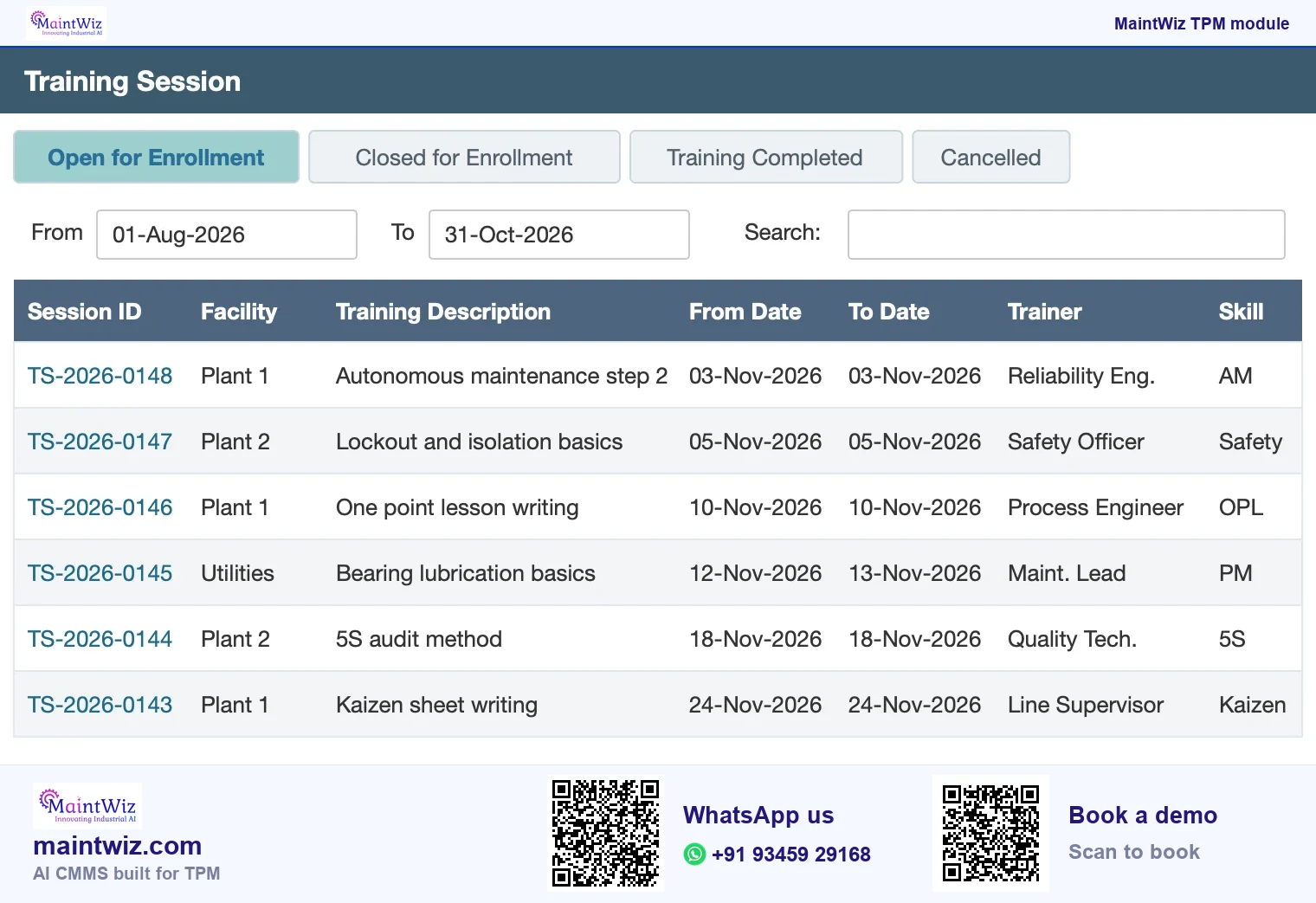
Training masters, roles, session types and report layouts are set up with each plant. A typical start loads the roles for a pilot area, a plan for the first quarter and the first three or four sessions. Each session is tied to a trainer and a skill and moves from open enrollment to completed (Figure 5).
Who uses it
Who uses the training module?
| Role | What they do in the module |
|---|---|
| Training coordinator | Maintains the master and plan; schedules sessions |
| Trainer | Runs the session and records attendance |
| Supervisor | Checks that their team is trained and released for sessions |
| Employee | Attends sessions |
| Plant head and HR | Read the dashboard and reports |
A first quarter
- Month 1: list the skills the pilot area needs by role; build the training master.
- Month 2: schedule sessions for the highest-priority gaps; record attendance and hours.
- Month 3: review the dashboard with supervisors; adjust the plan for the next quarter.
What you will see in the demo
- The training master, plan and schedule.
- Sessions, attendance and hours by role on the dashboard.
- Certification and expiry, for example licences and vision tests.
- Records exported to XLS and PDF.
Mistakes
What are the common mistakes with training records?
- Recording attendance but not what skill was gained or checked.
- Building a matrix so large that no one keeps it current.
- Training once at launch and never refreshing as people move.
- Counting hours as the result: hours show effort, not capability.
- Keeping contractor training elsewhere, so gaps appear on audit day.
A useful record answers a simple question quickly: who is trained to do this task, and when was it last checked? Design the master and the plan to answer that for your critical tasks first.
How training links to the other pillars
| Pillar | Training it needs | Record to keep |
|---|---|---|
| Autonomous maintenance | Cleaning, inspection and lubrication skills; tag rules | Sessions by step and team; one point lessons used |
| Planned maintenance | Technician skills for critical equipment | Sessions by task for critical equipment |
| Quality maintenance | Defect recognition, condition checks | Sessions and attendance |
| Safety, health and environment | Hazards in cleaning and inspection; reporting | Safety training and refreshers |
| Early equipment management | Design review and MP sheet use | Sessions for engineers |
Certification, expiry and export
The module records certification and expiry, for example licences and vision tests, alongside sessions and attendance. Data can be exported to XLS and PDF. MaintWiz runs as software as a service (SaaS), or on-premises on your own servers on request.
Pricing is quoted for the modules and users you need; read how TPM software is priced.
FAQ
Frequently asked questions
What is maintenance training software?
Software that plans and schedules training, records sessions and attendance, keeps a training master and reports training progress, so a plant can see who has been trained on what.
What does the training dashboard show?
Training sessions, completed hours, the number of resources trained and attendance by role, so training leads can see whether the plan is on track and which groups are being missed.
What does the training module hold?
A training master, plan and schedule, sessions with attendance and hours, reports and a dashboard, plus certification and expiry, such as licences and vision tests. A free spreadsheet skills matrix is available to start from.
Why does TPM need training records?
Each pillar asks people to learn new routines. Records show who is trained on what, so a repeat failure can be traced to a skills gap and the gap closed with a session.
Can we start in a spreadsheet?
Yes. A skills matrix and annual training plan workbook lets you start in a spreadsheet. Move to a system when sessions, attendance and gaps need reporting across teams or plants.
Can software track licence and certificate expiry?
Yes. The module records certification and expiry, for example licences and vision tests, so a plant can see which qualifications are current and which are about to lapse.
Which TPM pillar does training management software serve?
It serves education and training, Kyoiku Kunren in Japanese, which JIPM lists among the two necessary pillars of TPM. Every other pillar draws on it, because operators, technicians and supervisors each need recorded skills for their part.
What should training management software for TPM include?
A training master, a plan and schedule, sessions with attendance and hours, certification and expiry, reports and a dashboard of sessions, completed hours, resources trained and attendance by role, all on the same equipment list as the other pillars.
Does MaintWiz show who is trained, by role?
Yes. MaintWiz keeps the training master of topics and the roles they apply to, the plan, sessions, attendance and hours, and the dashboard shows attendance and people trained by role. The free skills matrix and annual training plan workbook gives you the matrix to start from.